Hospital Management System
Patient records, doctors, appointment booking and billing in one desktop app.
One-time purchase — source code, database, README and report outline, all in a single ZIP.
No account needed — pay & download instantly
Screenshots
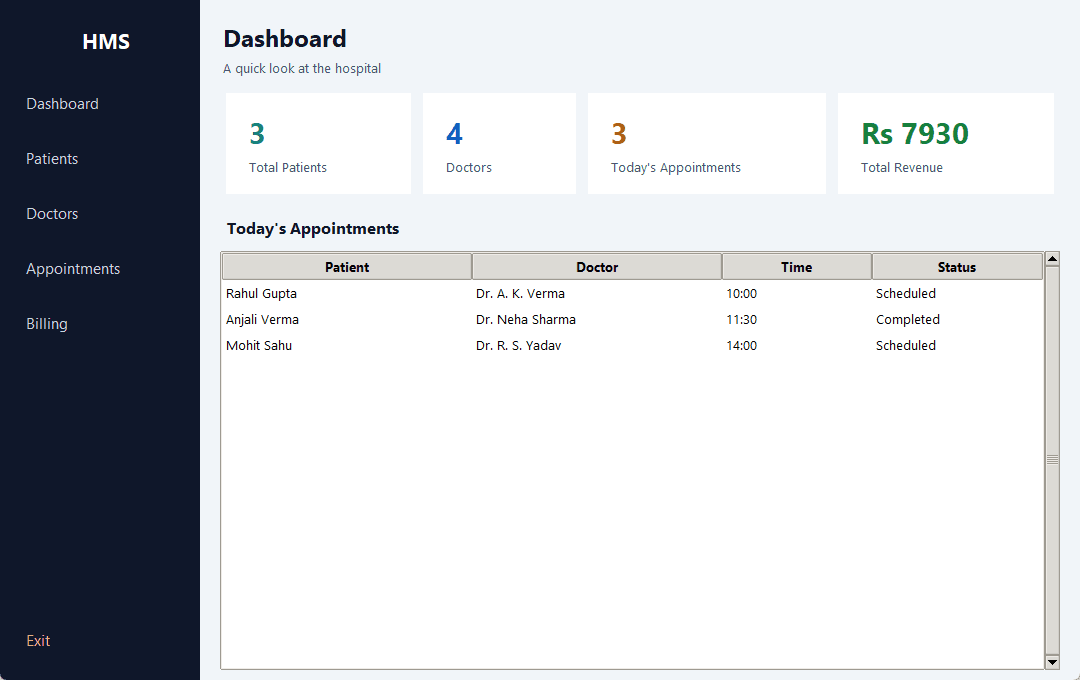
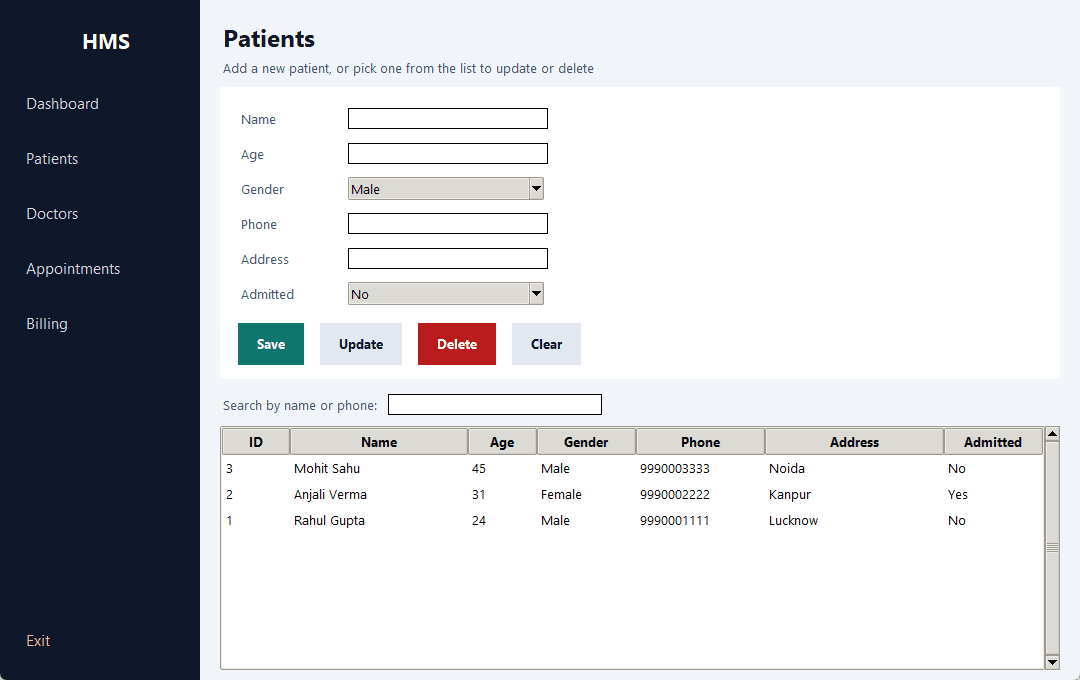
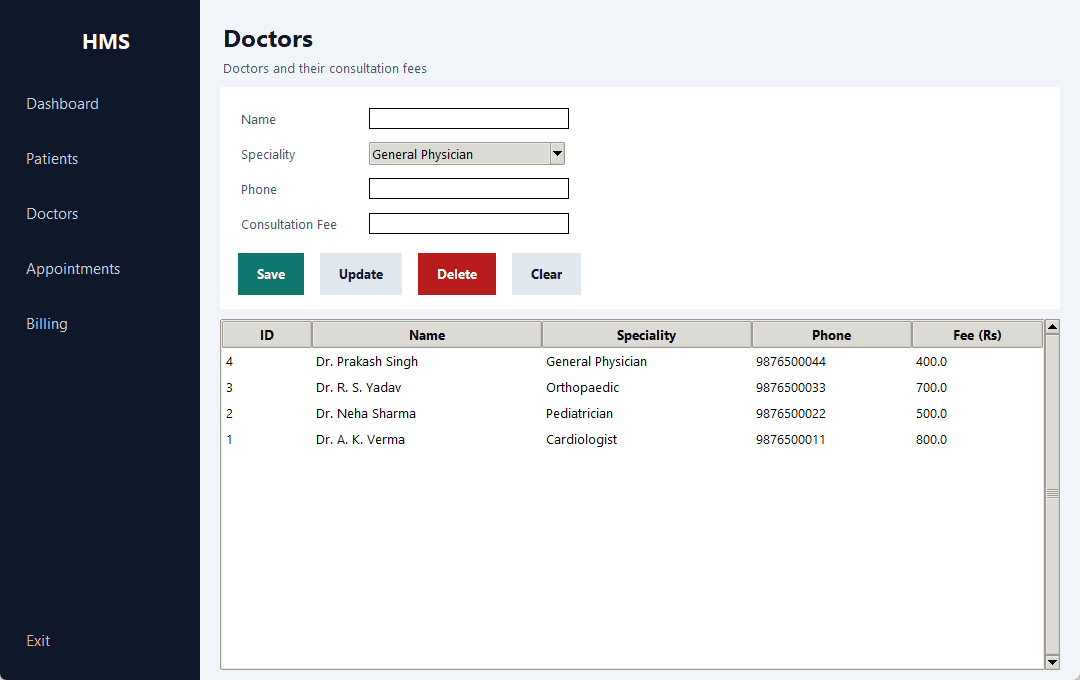
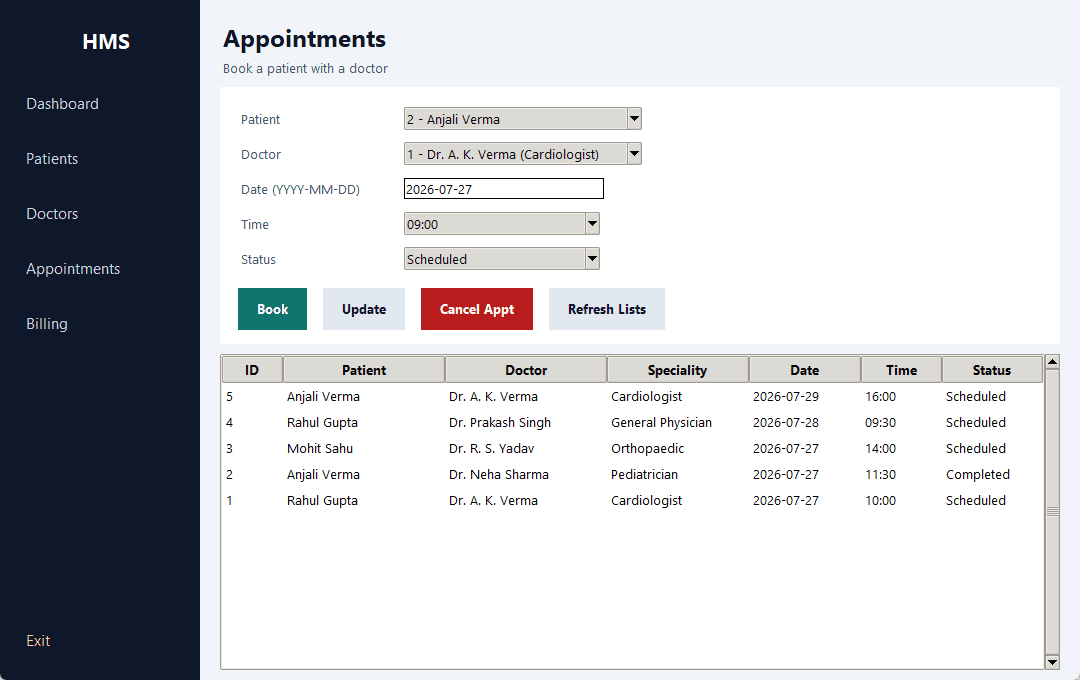
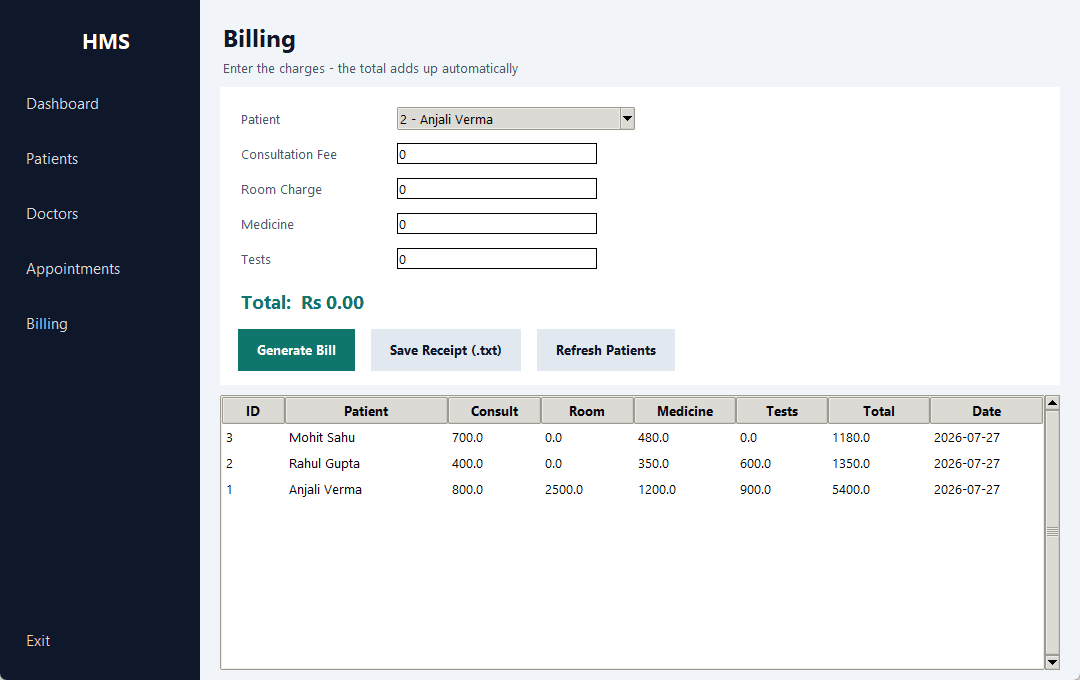
These screenshots were taken from this project actually running — not mockups.
About this project
Brings a hospital's daily work into one place - registering patients, keeping the doctor list, booking appointments and generating bills. All data is stored in a single SQLite file, so everything is still there the next time you open the app.
The part worth showing in a viva is the appointment screen: a slot-clash check runs before booking, so the same doctor can never be given to two patients at the same time. Deleting a patient also removes their appointments and bills through a foreign key cascade. Examiners ask about both of these.
Nothing needs to be installed to run it - tkinter and sqlite3 come with Python.
Features
- ✓Login screen (the app opens only with a username and password)
- ✓Dashboard - live count of patients, doctors, today's appointments and total revenue
- ✓Add, update, delete patients with live search by name or phone
- ✓Doctor management with speciality and consultation fee
- ✓Appointment booking with a slot-clash check - one doctor's slot cannot be double booked
- ✓Billing - consultation, room, medicine and tests add up automatically
- ✓Generates a printable .txt receipt file
- ✓Foreign key cascade - removing a patient also removes their appointments and bills
- ✓Every query is parameterised (? placeholder) to prevent SQL injection
Modules
Tools
- • Python 3.8+
- • VS Code (or any editor)
- • DB Browser for SQLite (optional)
Requirements
Only Python 3.8 or newer. Nothing to pip install - tkinter (the GUI) and sqlite3 (the database) both ship with Python itself. Works on Windows, Linux and Mac.
How to run
1. Extract the ZIP.
2. Open CMD and go to the folder:  cd path\to\hospital-management-system
3. Run:  python main.py
4. Login:  admin / admin123

hospital.db is created automatically on the first run, with sample data already in it.

Before a demo or viva, run 'python demo.py' first so every screen has realistic data in it.
The same steps are in README.md inside the ZIP, along with a troubleshooting table.
What you get in the ZIP
- 📁 Full source code — commented throughout, so you can explain it in the viva
- 🗄️ Database — the schema builds itself on first run, with sample data
- 📖 README.md — step-by-step run instructions, database design, viva questions and troubleshooting
- 📝 docs/report-outline.md — the full AKTU project report outline (DFD, ER diagram, testing table, screenshots)