School Management System
Students, teachers, class-wise attendance and report cards with automatic grading.
One-time purchase — source code, database, README and report outline, all in a single ZIP.
No account needed — pay & download instantly
Screenshots
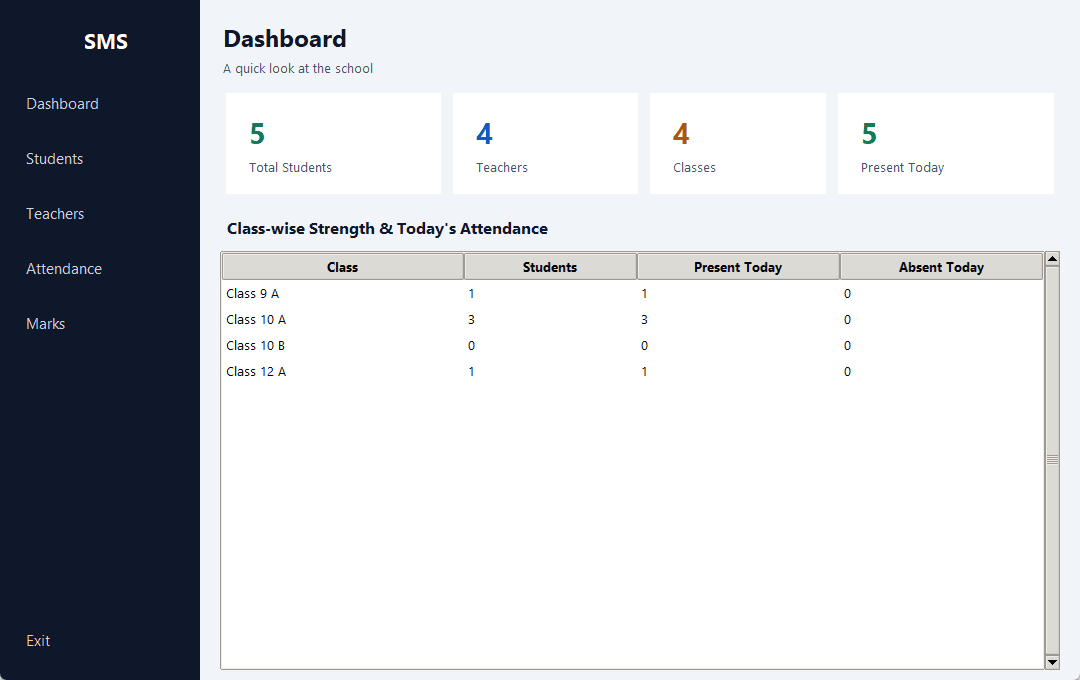
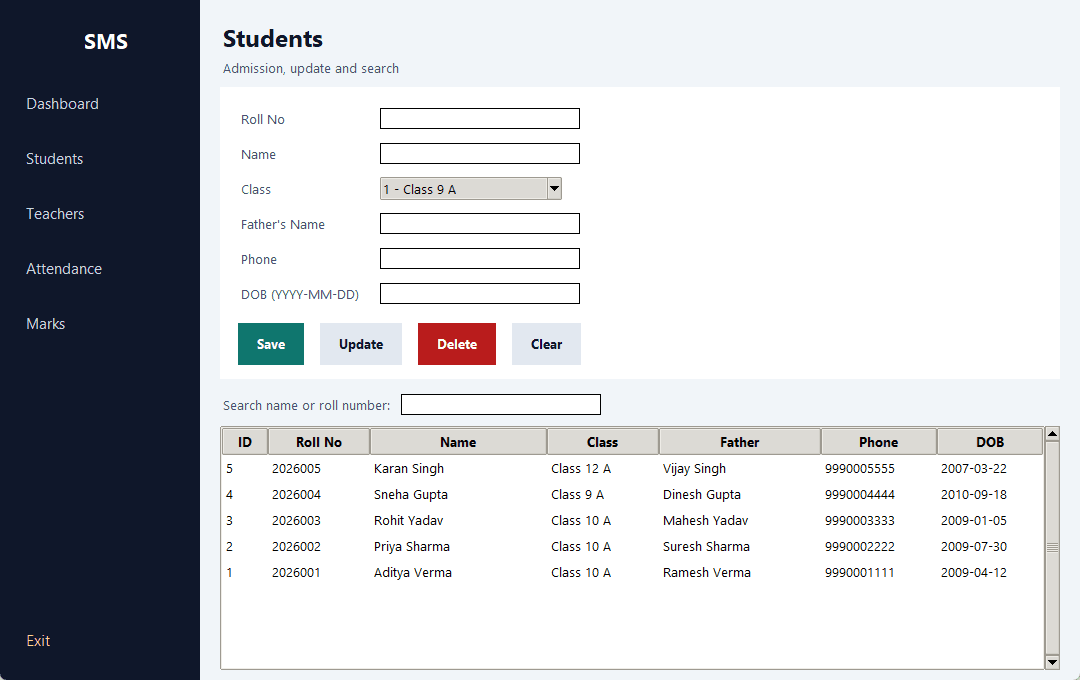
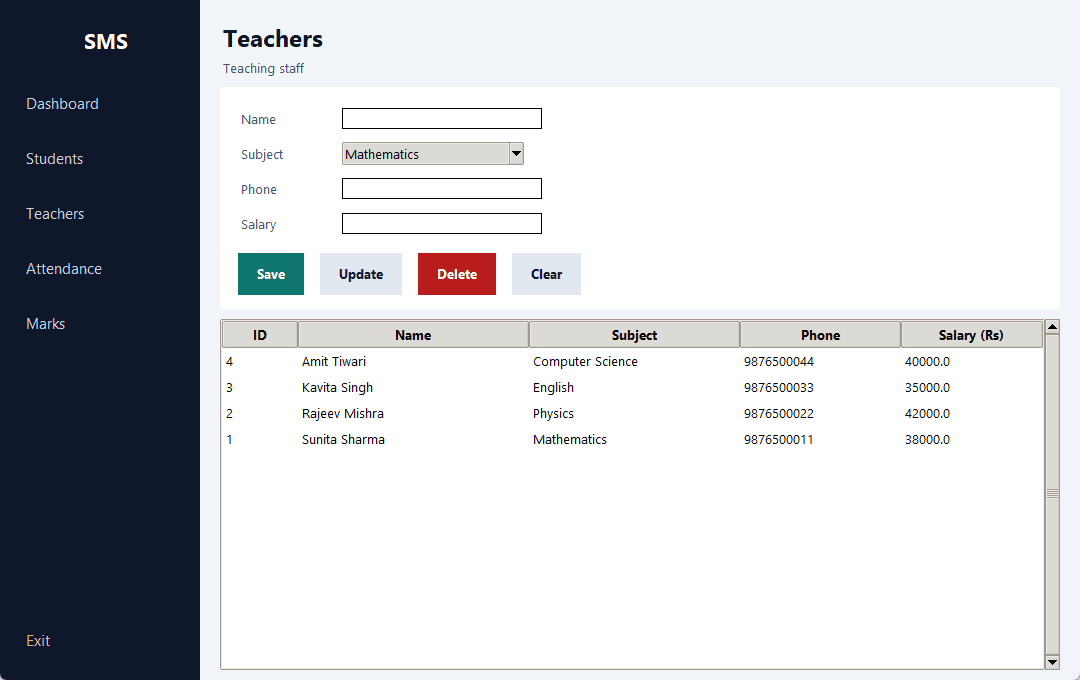
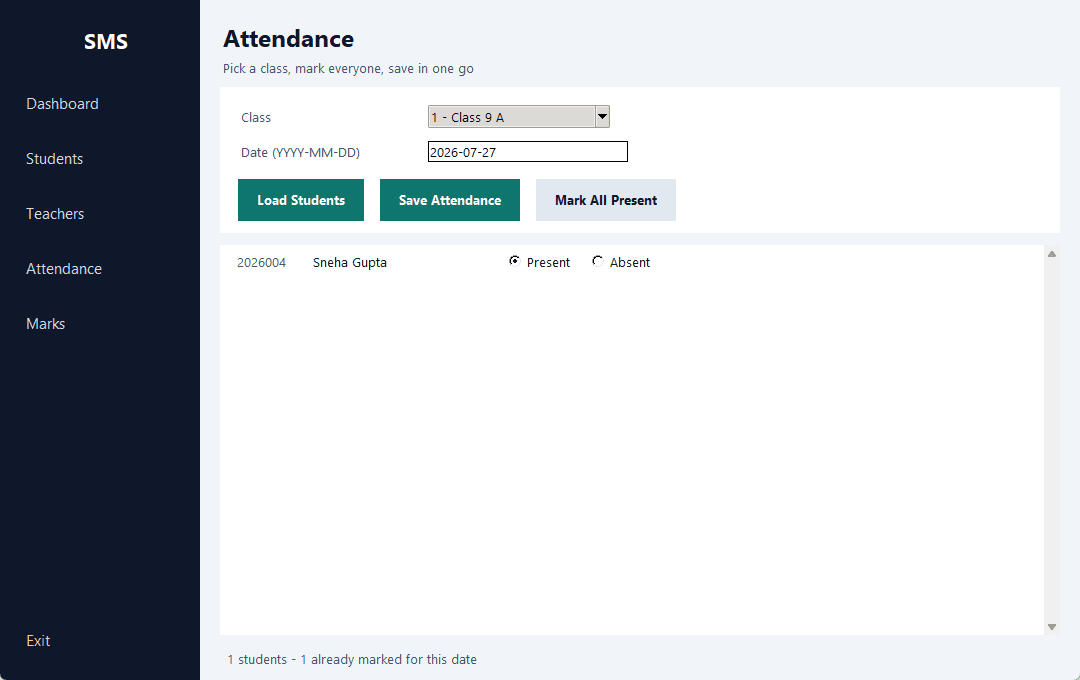
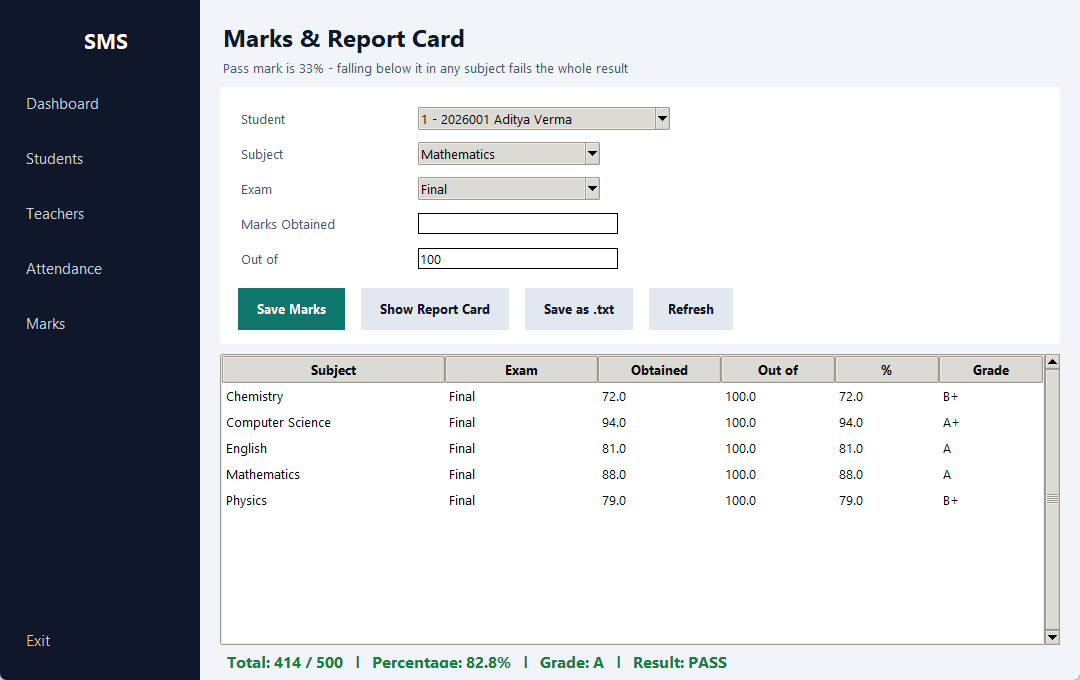
These screenshots were taken from this project actually running — not mockups.
About this project
Handles a school's daily work - student admissions, teacher records, attendance and marks. The most useful screen is attendance: pick a class and the whole roster loads with Present/Absent toggles, then one button saves it all. That is far quicker than entering students one at a time.
Entering marks builds the report card straight away - percentage and grade per subject, then the total, overall grade and PASS/FAIL. The failure rule is the one schools actually use: below 33% in any single subject fails the whole result, no matter how good the overall percentage is.
Report cards can also be saved as a .txt file for printing.
Features
- ✓Login screen
- ✓Dashboard - counts of students, teachers, classes and today's attendance
- ✓Class-wise strength with today's present and absent counts (via SQL LEFT JOIN)
- ✓Student admission with a duplicate roll number check
- ✓Teacher records with subject and salary
- ✓Class-wise attendance - the whole class on one screen, saved in a single click
- ✓Re-taking a day's attendance updates it (UPSERT) instead of creating duplicates
- ✓Marks entry with validation (between 0 and the total)
- ✓Report card - per-subject percentage and grade, total and PASS/FAIL
- ✓Failing one subject fails the whole result, as in a real school
- ✓Printable .txt report card
- ✓Every query is parameterised (? placeholder) to prevent SQL injection
Modules
Tools
- • Python 3.8+
- • VS Code (or any editor)
- • DB Browser for SQLite (optional)
Requirements
Only Python 3.8 or newer. Nothing to pip install - tkinter (the GUI) and sqlite3 (the database) both ship with Python itself. Works on Windows, Linux and Mac.
How to run
1. Extract the ZIP.
2. Open CMD and go to the folder:  cd path\to\school-management-system
3. Run:  python main.py
4. Login:  admin / admin123

school.db is created automatically on the first run, with sample data already in it.

Before a demo or viva, run 'python demo.py' first so every screen has realistic data in it.
The same steps are in README.md inside the ZIP, along with a troubleshooting table.
What you get in the ZIP
- 📁 Full source code — commented throughout, so you can explain it in the viva
- 🗄️ Database — the schema builds itself on first run, with sample data
- 📖 README.md — step-by-step run instructions, database design, viva questions and troubleshooting
- 📝 docs/report-outline.md — the full AKTU project report outline (DFD, ER diagram, testing table, screenshots)